
⌘K

Share Shop Link

Last updated

AI-Powered Summary

Click to generate a summary of this documentation using AI

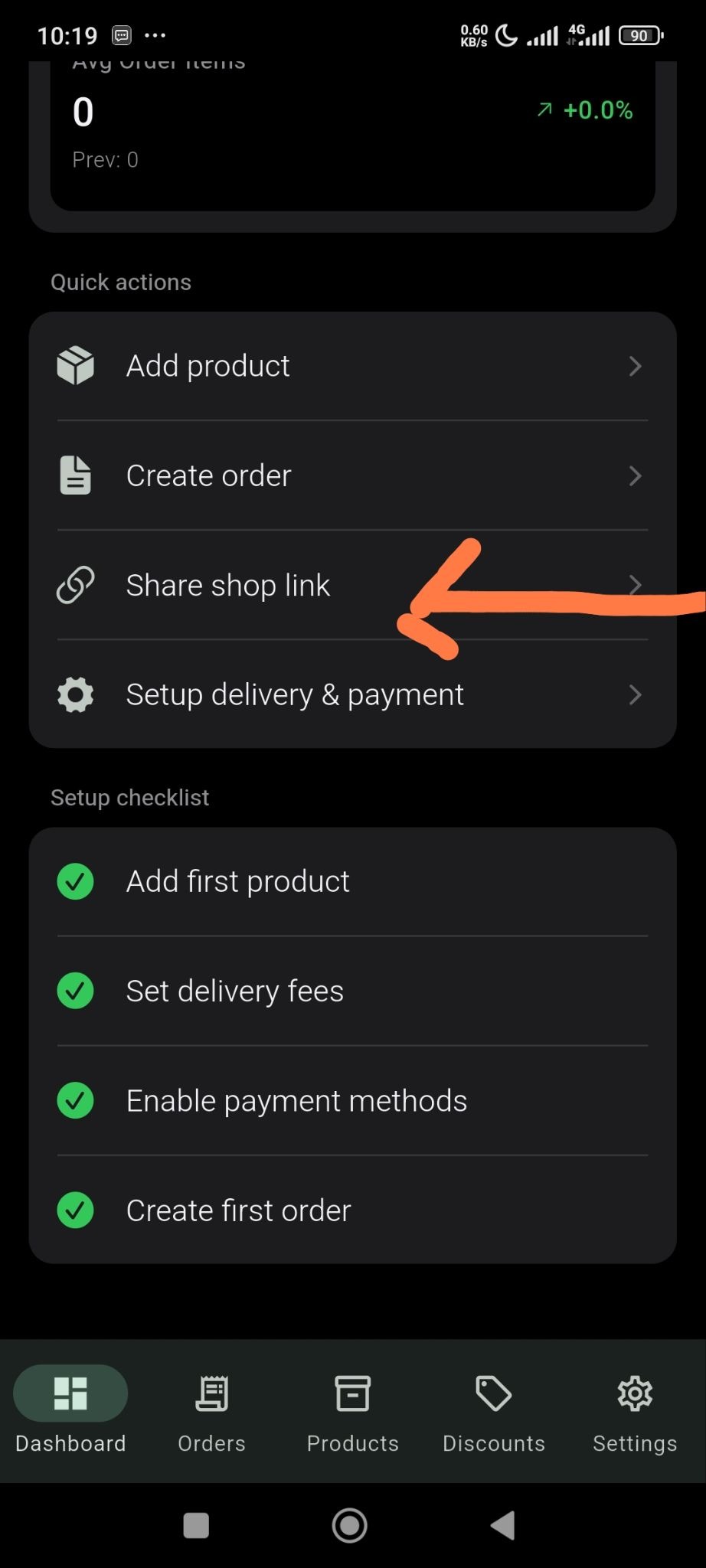
You can share your shop link through link or QR code with ease. Just click on the Share Shop Link from the Dashboard menu-
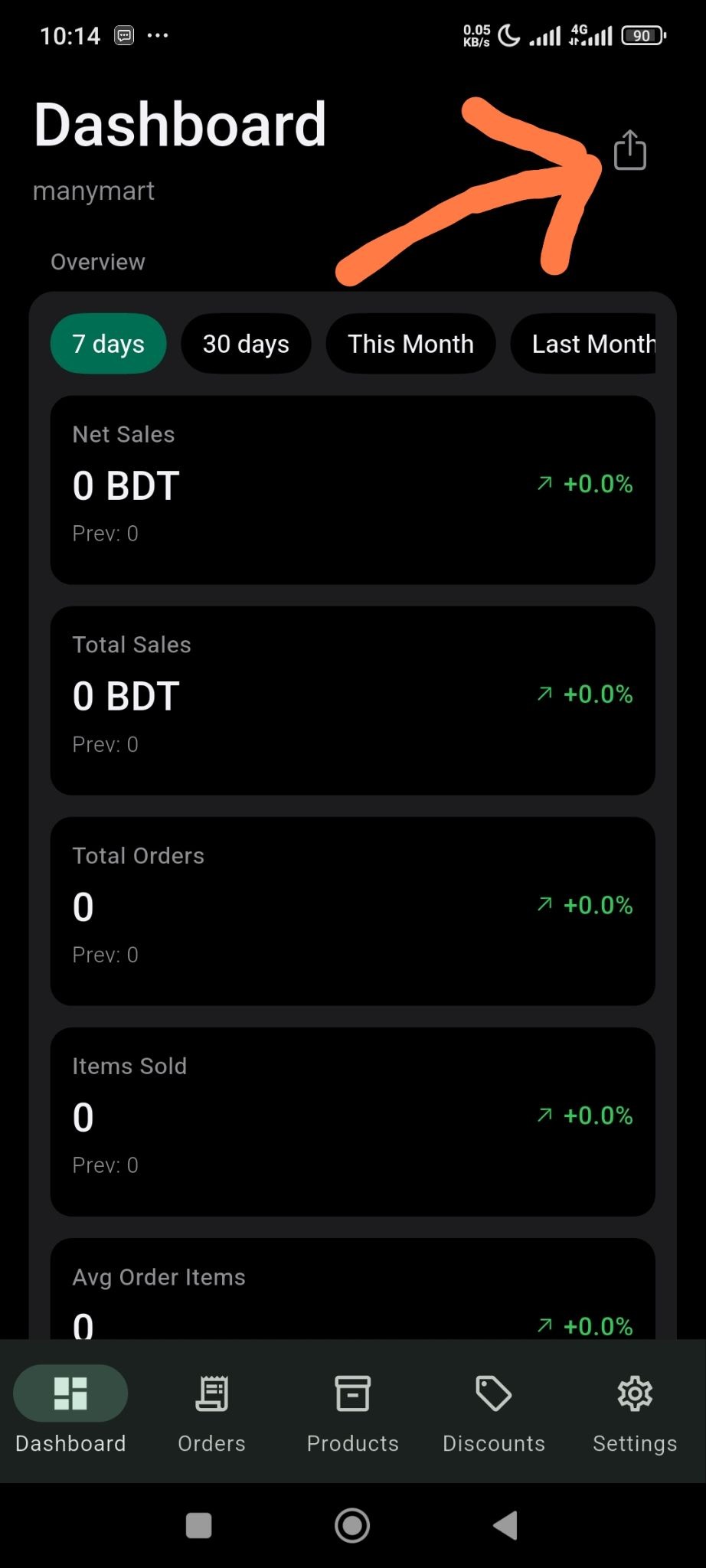
Or click on the icon marked in the screenshot below-
You will get the options to share your store-
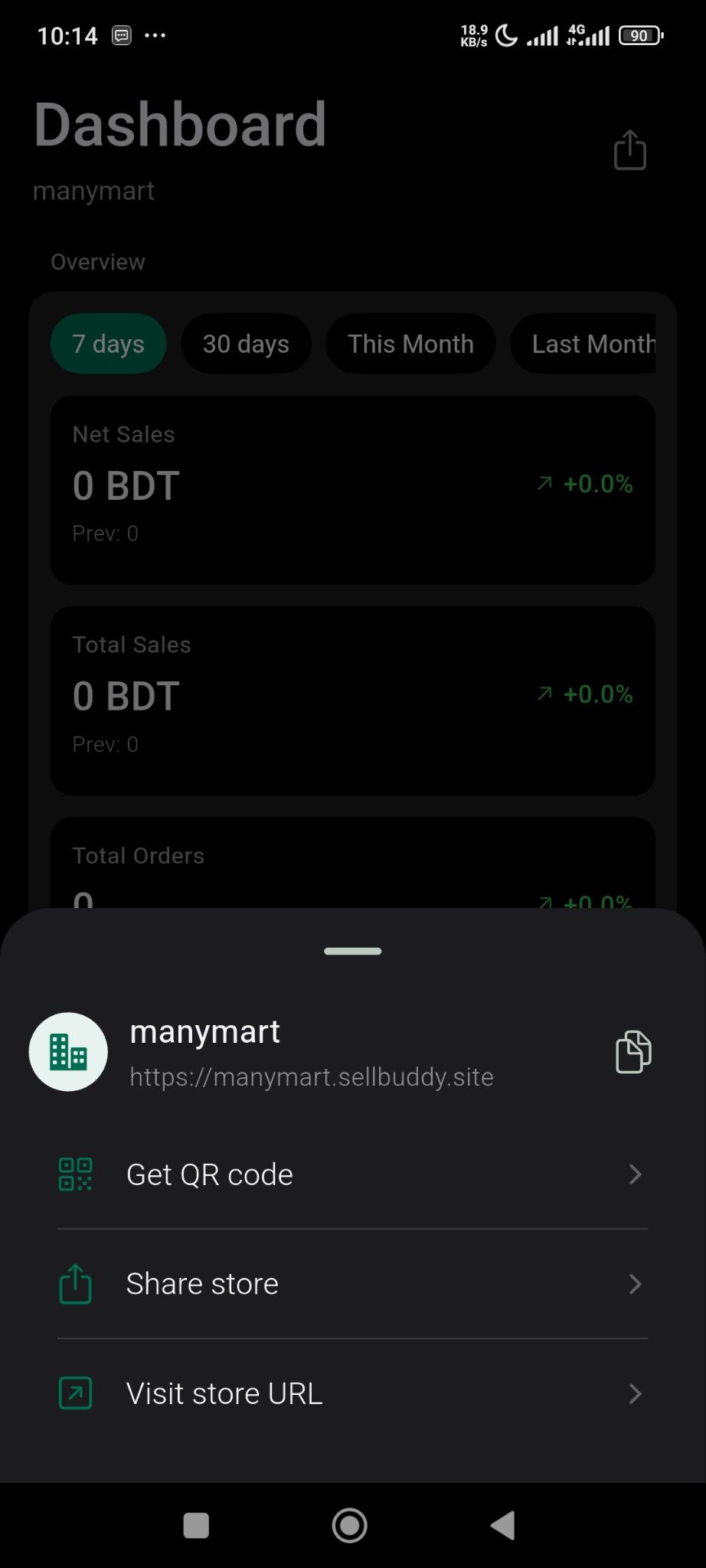
You can share your store link to get more sales. 

Contributors

Updated on May 13, 2026

Still stuck? How can we help? Get Help

Table of Contents

No headings found. The table of contents will be generated automatically when you add headings to your content.

Font Size:(Default)