⌘K

Notification Settings

Last updated

AI-Powered Summary

Click to generate a summary of this documentation using AI

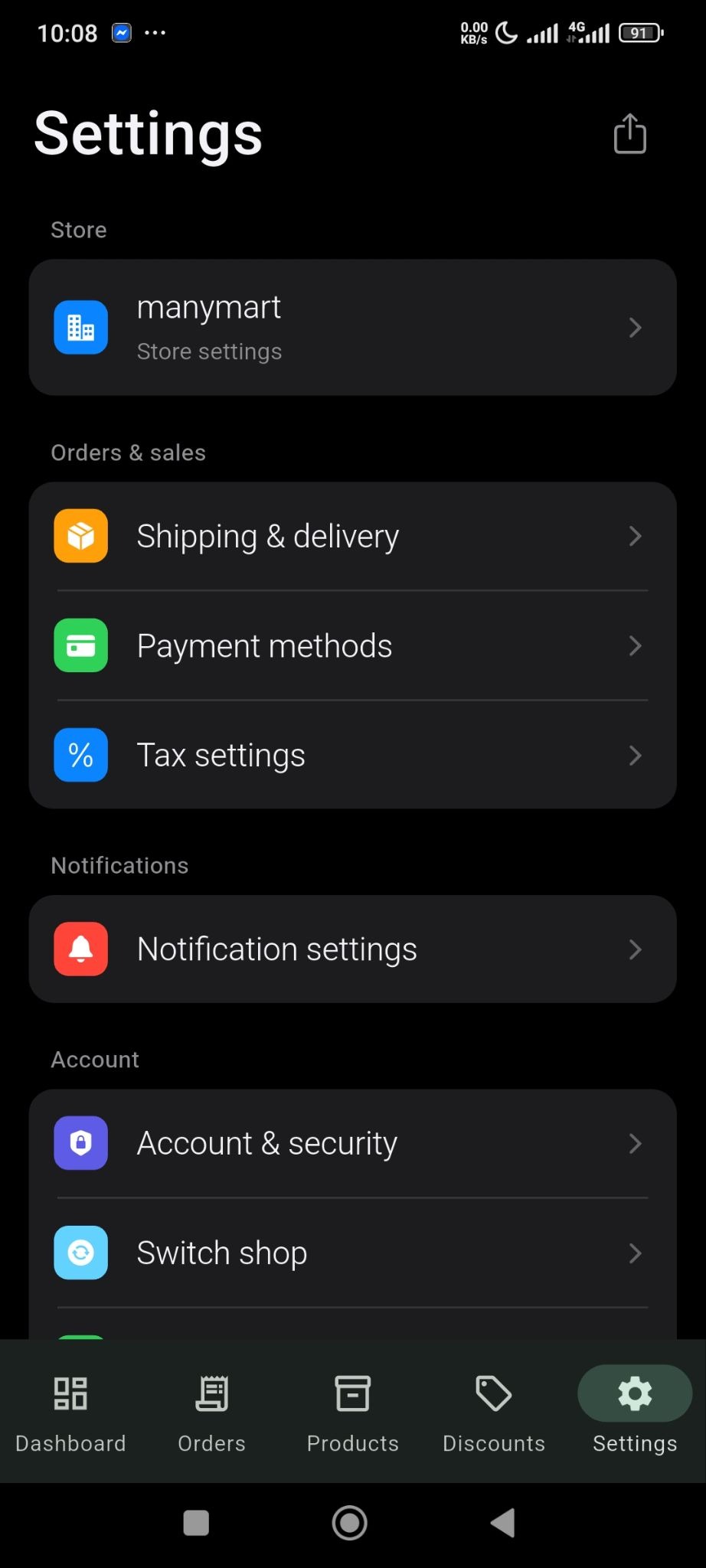
You can enable what type of notifications you would like to receive from your store using the Sellbuddy App

From the settings option, click on the Notifications Settings option-
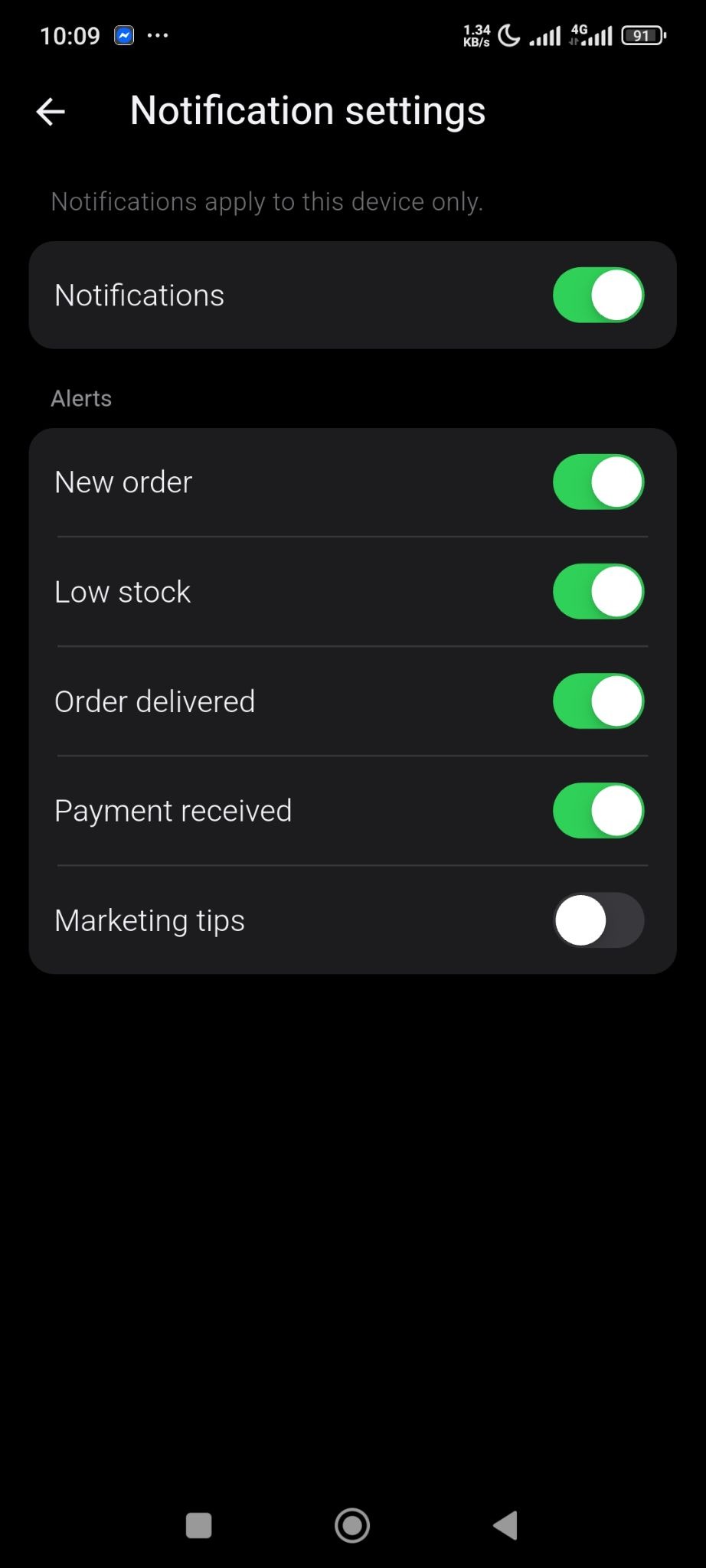
There you will find all the default notification options. Enable the ones you need-

  • Notifications
  • New Order
  • Low Stock
  • Order Delivered
  • Payment Received
  • Marketing Tips. 

Contributors

Updated on May 13, 2026

Still stuck? How can we help? Get Help

Table of Contents

No headings found. The table of contents will be generated automatically when you add headings to your content.

Font Size:(Default)