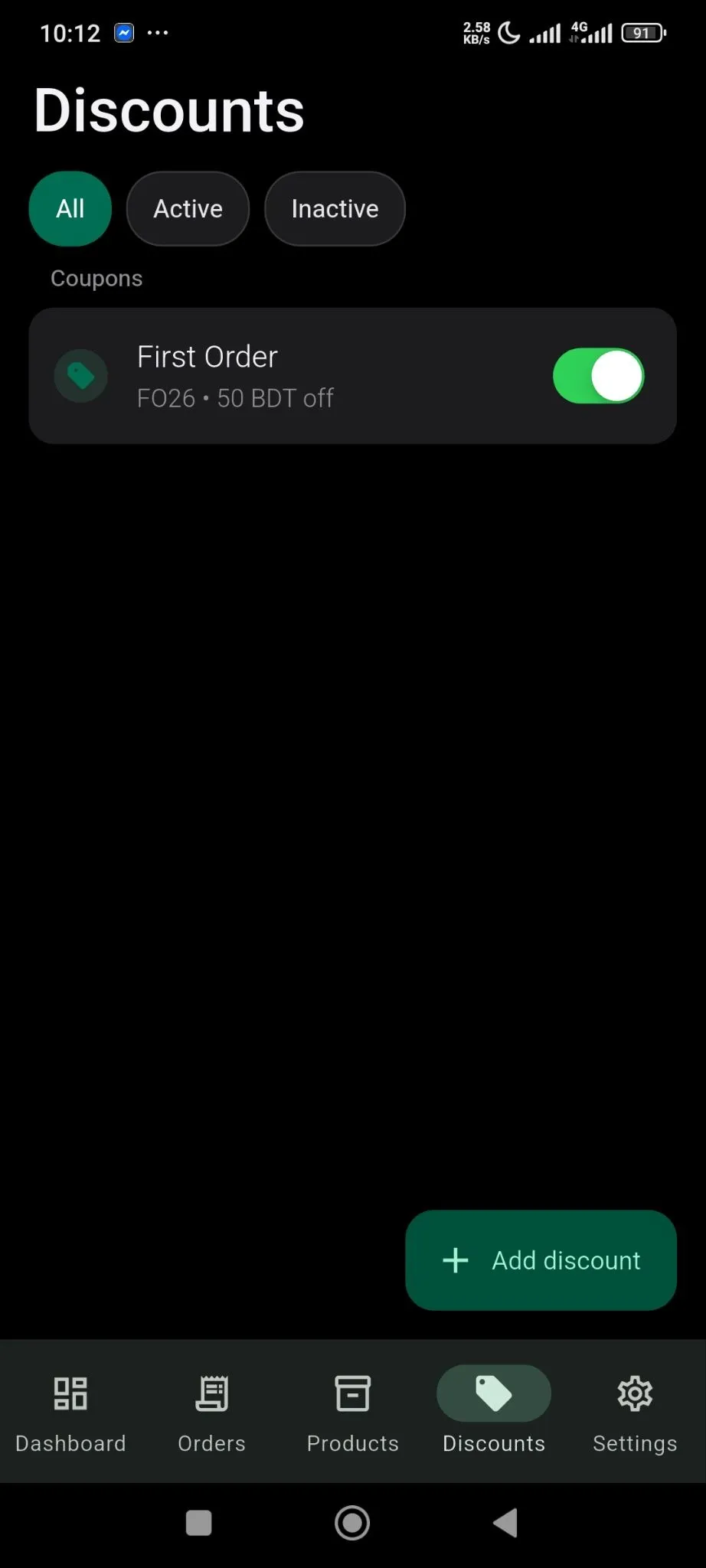
How to Create Discount Coupons
Dieser Inhalt ist noch nicht in deiner Sprache verfügbar.
Discount is very common but very effective marketing technique for any online store.
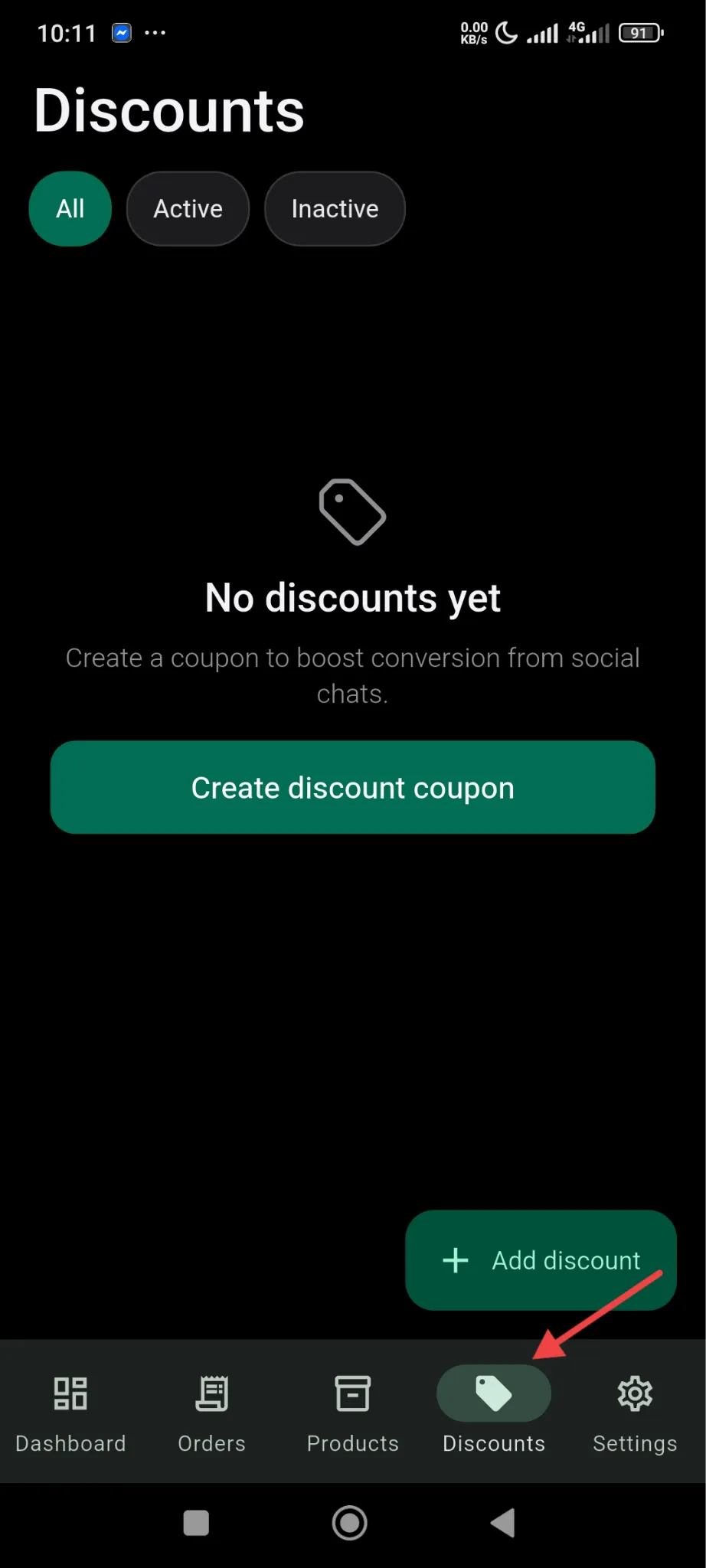
To enable discounts(coupon code) for your online store from the SellBuddy app, click on the Discount option at the bottom and click on the Create Disocunt Coupon button-
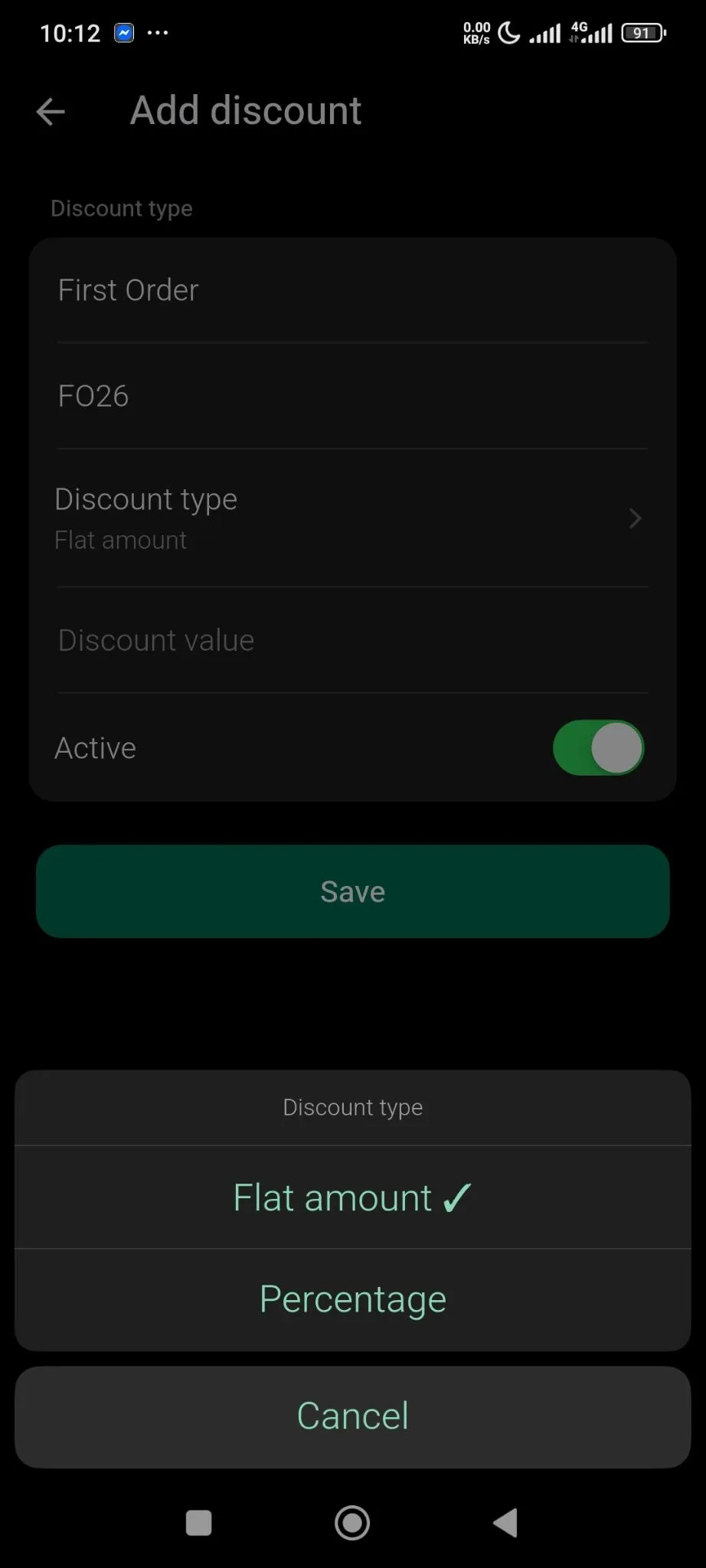
Next, you need to choose discount type between flat and percentage discount-
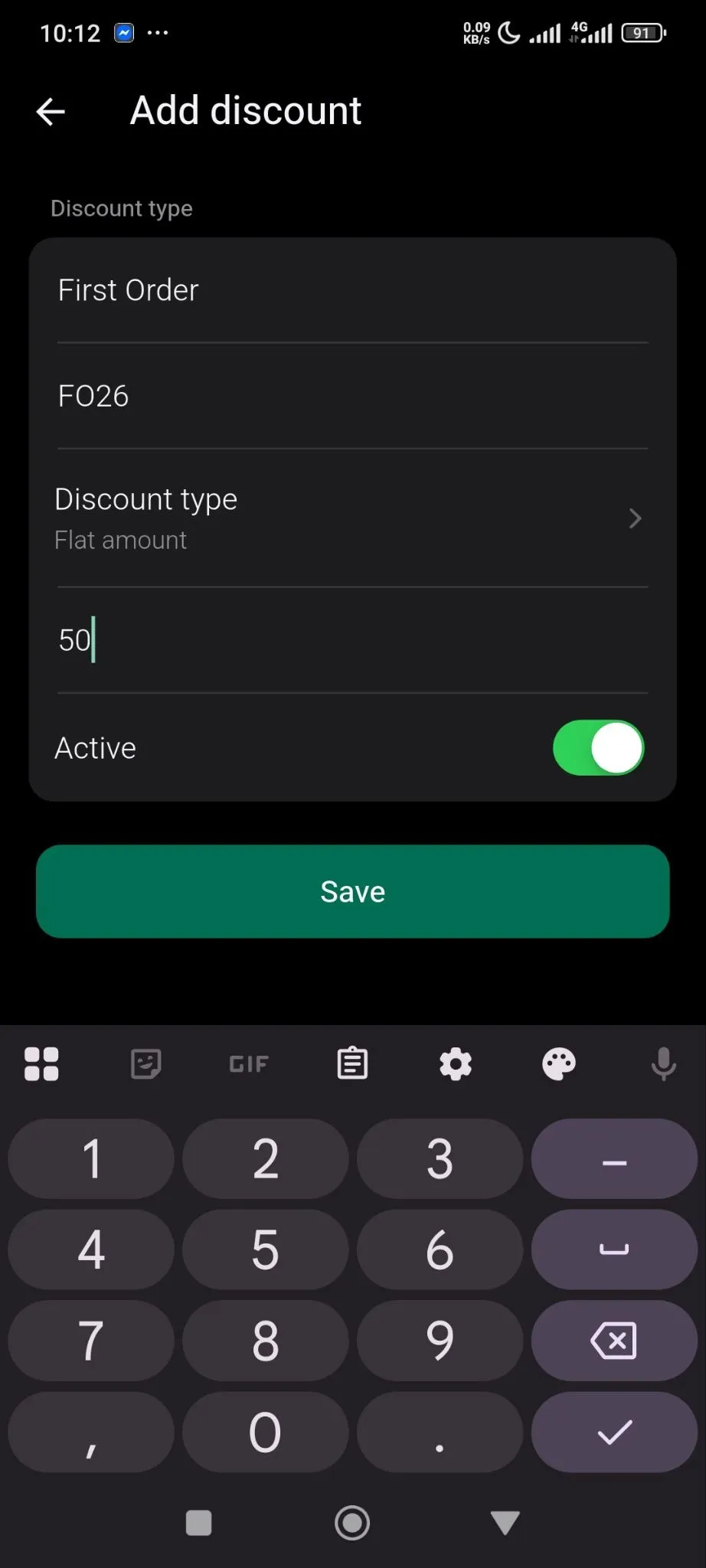
Add Coupon name, code, amount, and toggle the discount active and you are done.
Your coupon code will be active-